
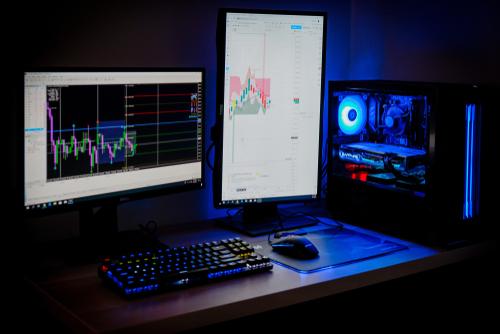
Buying a new computer should feel like an upgrade, not like the beginning of several hours of updates, account setup, file transfers, and troubleshooting. At Mark Wilcox Computer Services, our new computer setup services in Mountain Iron, MN, help customers throughout St. Louis County get their new desktops and laptops ready for everyday use without the frustration of figuring everything out on their own. From Windows setup services and computer configuration to computer data transfer, security setup, printers, email, and software updates, we handle the details so your new system is properly prepared around the way you actually plan to use it.
More Than Taking a New Computer Out of the Box
A brand-new computer is rarely completely ready to use the moment it comes home. Windows may need updates, drivers may be outdated, manufacturer software may need attention, and important security or privacy settings may still be using default configurations.
Our computer setup and optimization service takes care of those steps before they become your weekend project. We can prepare a new PC setup or new laptop setup from the operating system level up, making sure the system is updated, configured, and personalized for your needs.
Depending on your computer and how you plan to use it, our setup services may include:
- Complete Windows and system updates
- BIOS and firmware updates
- Driver updates
- Browser and software updates
- Microsoft account or local account setup
- Privacy and Windows settings configuration
- Virus protection setup
- Computer security setup
- Printer and peripheral configuration
- Email and browser setup
- Network and Wi-Fi configuration
- Storage setup and optimization
- Removal of unnecessary software when appropriate
- Personalization based on home or business use
We explain what is being configured and why it matters, so you are not left wondering what changed once the computer comes back to you. The goal is to give you a clean, organized system that feels ready to use instead of half-finished.
Windows Computer Setup Without the Guesswork
Windows computer setup can involve more than people expect, especially on a machine that has been sitting in inventory before being purchased. Windows updates may need to be installed in several rounds, and additional BIOS, firmware, driver, or security updates may also be required before the system is fully current.
We take care of that process as part of our Windows setup services. We can also help determine whether a Microsoft account or a local Windows account makes more sense based on how you want to use the computer.
Privacy settings, startup behavior, browsers, storage, and other system preferences can also be configured to fit your needs. Rather than leaving every manufacturer default in place, we help make the computer feel like your computer from the beginning.
Computer Data Transfer From Your Old System
One of the biggest concerns when replacing a computer is what happens to everything stored on the old one. Photos, documents, spreadsheets, personal files, business records, and other important data often need to move with you.
Our computer data transfer service can help transfer files to a new computer when the existing system is still accessible. We can also help organize the transfer so your important information is moved in a way that makes it easier to find and use on the new machine.
Computer setup and data transfer may include:
- Documents and personal files
- Photos and videos
- Business files
- Desktop folders
- User-created data
- Selected browser information when available
- Other accessible files stored on the old computer
Not every program can simply be copied from one computer to another, and some software may require a new installation, account login, or license activation. We explain those limitations up front so you know what can realistically be moved and what may need to be set up separately.
Data Recovery When the Old Computer Has Failed
Sometimes customers need a new computer because the old one has already stopped working. When that happens, computer data migration may require more than a standard file transfer, especially if the computer will not boot properly or the storage drive is beginning to fail.
We have experience with computer data recovery when files need to be retrieved from an older or failing system. When recovery is possible, we can attempt to recover files from the old computer and transfer the accessible data to the new one, helping customers preserve important documents, photos, and other files whenever the condition of the device allows it.
Data recovery cannot be guaranteed in every situation, particularly when a hard drive or other storage device has suffered severe physical damage or advanced corruption. If the problem is beyond what we can safely address in-house, Mark is an affiliate of Gillware Data Recovery in Madison, WI, giving customers access to a specialized data recovery option for extremely damaged drives and more advanced recovery situations.
We also help customers decide how they want to sign in to their new Windows computer. For customers who prefer greater separation between their computer login and their broader Microsoft services, we can set up a Microsoft local account that keeps the device sign-in more personal and independent rather than tying those credentials directly to the customer’s other Microsoft accounts.
A local account can be a good option for customers who want additional control over how their computer is accessed and how their sign-in information is connected across Microsoft services. We can explain the differences between a local account and a Microsoft-connected account during setup so each customer can choose the option that best fits how they plan to use their new computer.
Security and Virus Protection Setup From Day One
Security should not be something you think about only after a virus or malware problem appears. A new computer is a good opportunity to establish better protection before personal information, financial records, passwords, or business data are stored on the system.
Our virus protection setup can include reviewing available security options, configuring Windows security settings, and making sure essential protections are active. We can also help adjust privacy settings and remove unnecessary software that may create clutter or interfere with everyday use.
For customers who use the computer for work, online banking, shopping, communication, or sensitive personal information, those settings matter. A properly configured system can help reduce unnecessary exposure while making it easier to maintain good security habits going forward.
Printer, Email, Network, and Peripheral Setup
A computer is only useful if it works with the things around it. Printers, scanners, monitors, wireless networks, email accounts, external drives, and other peripherals may all need additional configuration after a new system is purchased.
We can connect and configure compatible devices as part of the computer installation process. That includes helping with common setup issues that often turn a supposedly simple new computer purchase into several hours of computer troubleshooting.
If something is not working properly, we can also investigate whether the problem involves drivers, Windows settings, network configuration, hardware compatibility, or another issue. Our experience with computer repair and setup allows us to look at the entire system instead of treating each problem separately.
Help Choosing the Right Computer Before You Buy
A lot of new computer frustration starts before the computer is ever purchased. Retailers may recommend systems based on price or inventory rather than how much storage, memory, performance, or connectivity the customer actually needs.
You can contact Mark Wilcox Computer Services before making a purchase for help choosing a computer that fits your needs. Whether the system will be used for basic home tasks, business software, photos, streaming, remote work, or something more demanding, we can help you avoid buying too little or paying for features you will never use.
Our computer sales and setup guidance gives you a more complete path from selection through final configuration. Instead of buying a system first and discovering its limitations later, you can start with a better match.
Personalized Computer Setup for St. Louis County Customers
We serve customers throughout Mountain Iron and the surrounding St. Louis County area who want practical technical help without having to become their own IT department. Our experience with computer troubleshooting, Windows systems, data recovery, and new computer setup allows us to tailor the process around each customer’s situation.
Mark Wilcox Computer Services has also been voted best computer repair service in St. Louis County, reflecting the trust local customers have placed in our work. We focus on clear explanations, practical recommendations, and helping people get technology working the way they need it to work.
Schedule a Consultation Today!
Frequently Asked Questions
What is included in a new computer setup?
A typical setup can include Windows updates, drivers, BIOS and firmware updates, security configuration, account setup, browsers, software updates, printers, email, networking, storage settings, and personalization. The exact setup depends on the computer and how you plan to use it.
Can you transfer data from my old computer to my new one?
Yes, we can transfer data to a new computer when the old system and its files are accessible. We can move documents, photos, and other available files, although some applications may need to be reinstalled separately.
Can you recover files if my old computer no longer works?
We can provide data recovery assistance when recovery is possible. However, we cannot guarantee that every file can be recovered from a failed or physically damaged storage device.
Should I call before buying a new computer?
Yes, contacting us beforehand can help you choose a system with the right performance, storage, and features for your needs. It can also help you avoid paying for a computer that is either underpowered or unnecessarily expensive.
How long does new computer setup take?
The timeline depends on the number of updates, amount of data being transferred, software requirements, and peripheral setup. A system with extensive updates or large amounts of data may take longer than a basic computer configuration.
Start With a New Computer That Is Actually Ready to Use
A new computer should save you time, not create another technical project. At Mark Wilcox Computer Services, we handle new computer setup, computer configuration, security setup, file transfers, computer data migration, and related troubleshooting for customers throughout Mountain Iron and St. Louis County. So whether you need a new PC setup, a new laptop setup, help transferring important data, or guidance before buying your next system, we can take care of the process from start to finish. Just call today to schedule your new computer setup or request a quote for complete setup and data transfer services.